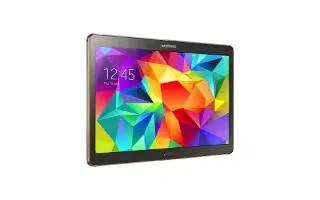
How To Use Mobile HotSpot – Samsung Galaxy Tab S
Learn how to use mobile hotspots on your Samsung Galaxy Tab S. Use this feature to share the devices mobile data connection with computers and other devices.
Apple, Gadgets, Android, Microsoft
Learn how to use mobile hotspots on your Samsung Galaxy Tab S. Use this feature to share the devices mobile data connection with computers and other devices.
Learn how to improve battery life on your Samsung Galaxy Tab 4. You can also use power saving mode to extend the battery performance of your tablet.
Learn how to update software on your Samsung Galaxy Tab 4. The Software Update feature enables you to use your phone to connect to the network and upload.
Learn how to view about device on your Samsung Galaxy Tab 4. This menu contains legal information, system tutorial information, and other phone information.
Learn how to use credential storage on your Samsung Galaxy Tab 4. If a CA certificate gets compromised or for some other reason you do not trust it, you can disable or remove it.
Learn how to use device administrator on your Samsung Galaxy Tab 4. Use the Device Administration feature to select one or more administration applications.
Learn how to use power saving mode on your Samsung Galaxy Tab 4. See how much battery power is used for device activities.
Learn how to make passwords visible on your Samsung Galaxy Tab 4. When enabled, password characters display briefly as you touch them while entering passwords.
Learn how to setup SIM card lock on your Samsung Galaxy Tab 4. To prevent another person from using your SIM card to make unauthorized calls.
Did you Forget SIM PIN password on your Samsung Galaxy Tab 4. If you enter the wrong SIM PIN more than 3 times, you must contact your Customer Service Representative.
Learn how to setup password on your Samsung Galaxy Tab 4. Use this option to set up password when one is first required or change current password.
Learn how to encrypt on your Samsung Galaxy Tab 4. To require a numeric PIN or password to decrypt your phone each time you power it on or encrypt the data.
Learn how to use storage settings on your Samsung Galaxy Tab 4. From this menu you can view the memory allocation for the memory card and USB.
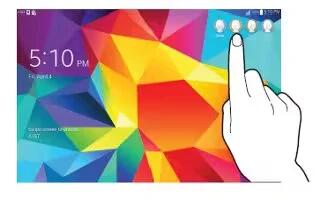
Learn how use users profile on your Samsung Galaxy Tab 4. You can share this tablet with multiple people by creating User accounts and Profiles.
Learn how use application manager on your Samsung Galaxy Tab 4. You can download and install applications from Play Store or create applications.
Learn how to use accessory settings on your Samsung Galaxy Tab 4. To select the Audio output mode when using a car or desk dock.
Learn how to change date and time settings on your Samsung Galaxy Tab 4. This menu allows you to change the current time and date displayed.
Learn how to factory data reset on your Samsung Galaxy Tab 4. From this menu you can reset your phone and sound settings to the factory default settings.







