How To Use Latitude On Samsung Galaxy S3
How To Use Latitude On Samsung Galaxy S3
Learn how to use latitude on Samsung Galaxy S3. You can share your locations with your friends and view their locations with Google Latitude location service on Samsung Galaxy S3. This feature may be unavailable depending on your region or service provider. Follow the simple steps below.
- In the application list, select Latitude. The device joins Latitude automatically.
- Select the user icon and then an option.
- Select a friend, or enter an email address and select Add friends.
- Select Yes. When your friend accepts your invitation, you can share locations.
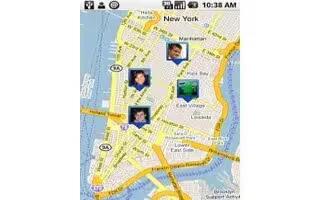
- Select MAP VIEW. Your friends locations on the map are shown with their photos.



 RSS - All Posts