Setup Parental Controls On iPad
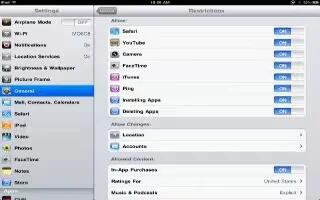
Setup Parental Controls On iPad
The iPad comes with built in parental controls for restricting various of functions like disabling web browser.
- From the iPad Home screen tap on Settings.
- Tap General.
- Tap Restrictions.
- Touch Enable Restrictions, youll be prompted for a 4 digit passcode. Think of a password you can remember and the kids cant easily guess.
- You will now have access to all the iPad Restriction Settings.
- Now you can turn off access to the web browser, iTunes store, choose restrictions for TV shows/movies and more.





 RSS - All Posts