Buy Books For iPad
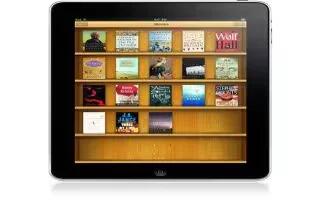
Buy Books For iPad
Apple offer iBooks, the app allows you to buy and download books to the iPad. You need a Apple ID, to get one go to Settings and tap to Store and sign using your existing apple id or create a new one. The follow the steps below
- Tap the iBooks icon.
- Tap Store to open the iBookstore.
- Now that youre in the store, browse best sellers, featured books, and search for books by topic or author.
- When you find a book you like you can purchase it with a few taps. Books youve downloaded can be found on your bookshelf inside the iBooks application
- There are some good free apps to get the books Amazon and Kobo, you can purchase from them too.






 RSS - All Posts